

Assigning Grading Tasks
Pawtograder has a robust feature to allow instructors to assign grading tasks to staff. When a grading task is assigned, the instructor can set a due date for that task, and re-assign the task to a different grader if needed. Pawtograder will also automatically allow any other grader to complete the task if the original grader is unable to complete it (without needing to re-assign the task).Conflicts of Interest
Pawtograder will automatically ensure that graders do not grade assignments that they have a conflict of interest in. Graders can self-input their conflicts (under “Course Settings” - “Grading Conflicts”), and instructors can review and enter conflicts for all graders in the class. Graders are encouraged to input a “Reason” for their conflict, so that instructors can understand the nature of the conflict and help avoid declaring spurious conflicts.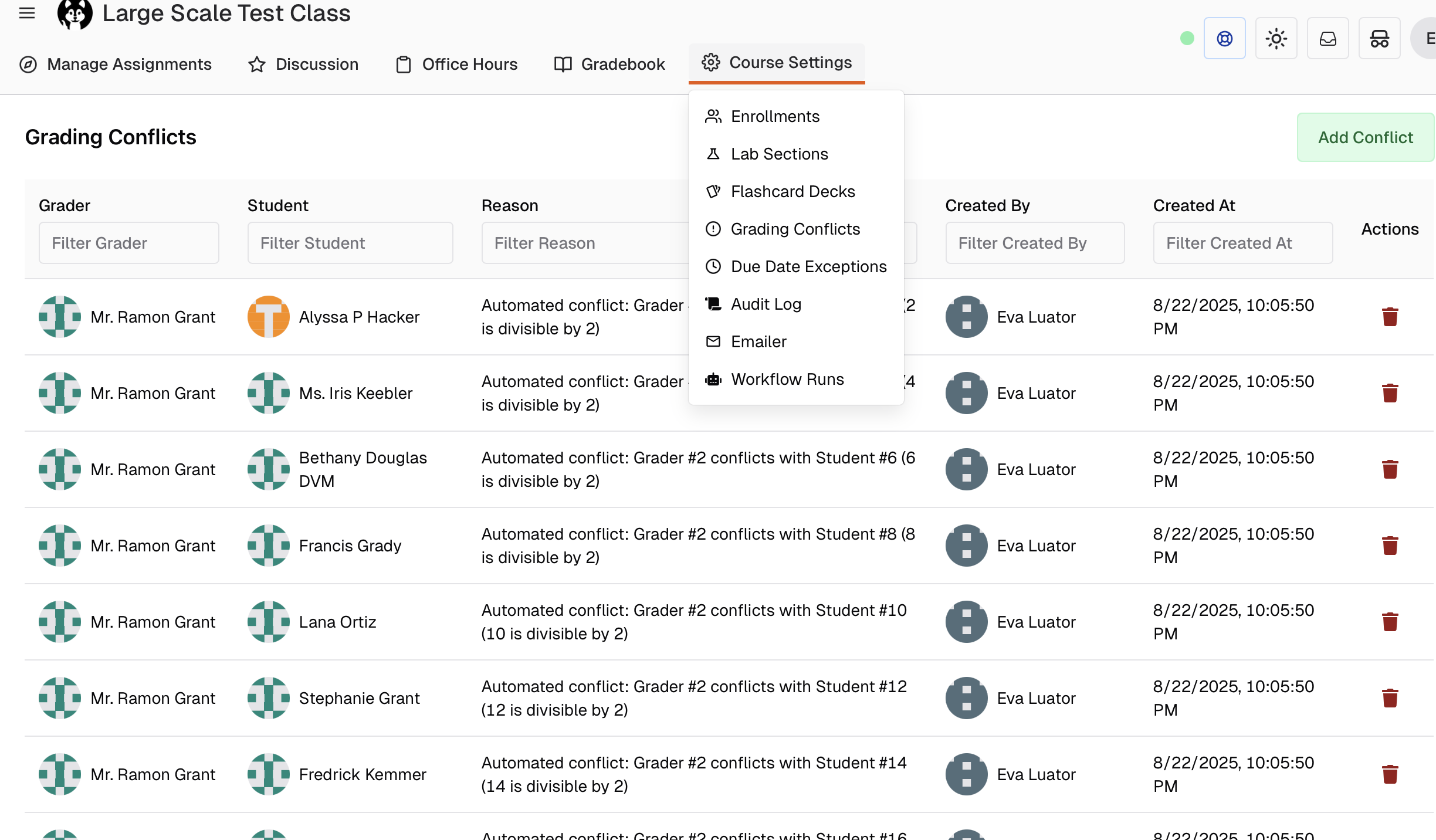
Assigning Grading Tasks
Pawtograder’s “Bulk Assign Grading” feature (from an Assignment’s “Grading Assignments” page) allows instructors to assign grading tasks to staff in bulk.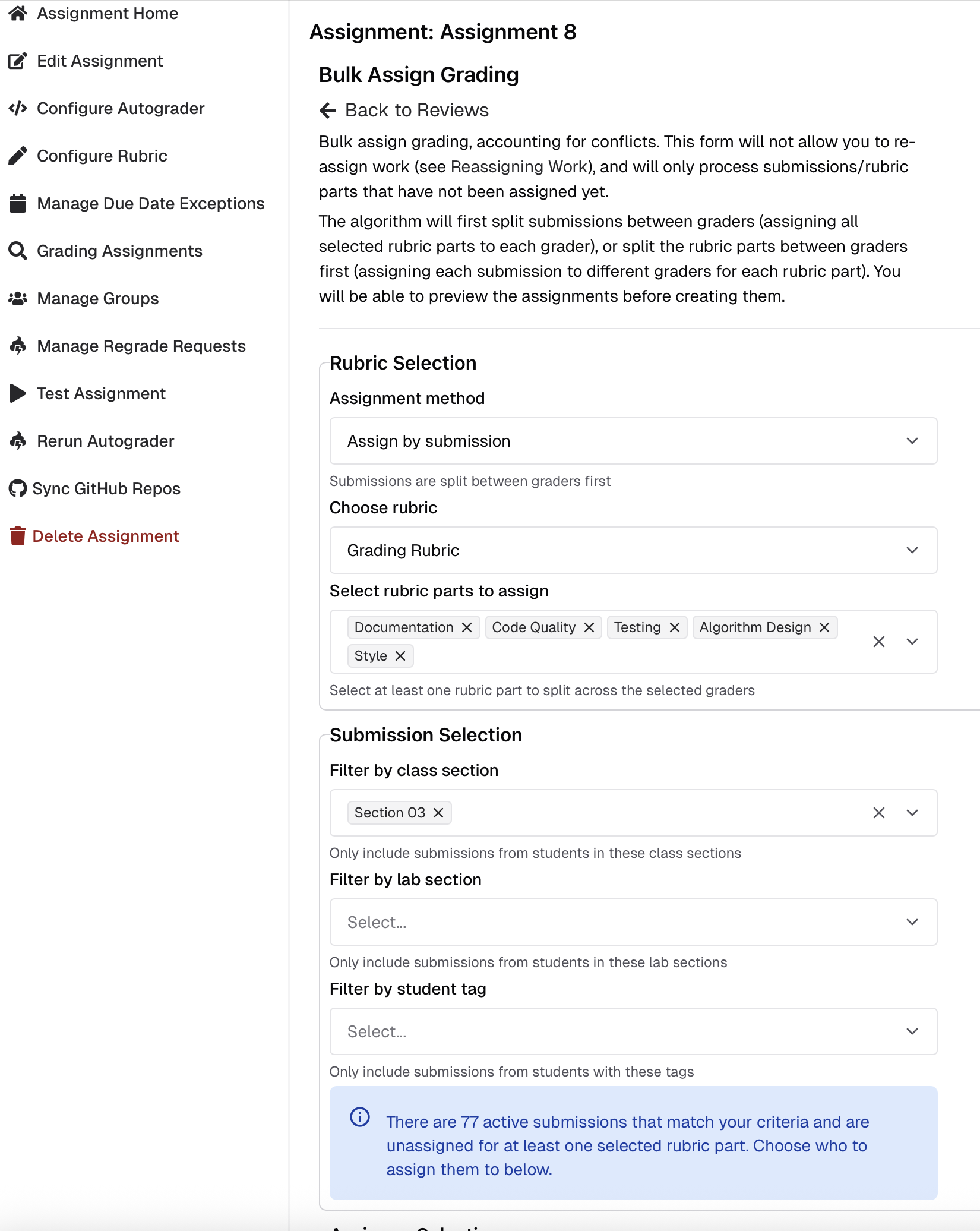
- Assign by submission: Split submissions between graders, assigning all selected rubric parts to each grader
- Assign by rubric part: Split the rubric parts between graders first, assigning each submission to different graders for each rubric part
- Assign to lab leaders: Automatically assign reviews to lab section leaders for their students’ respective lab sections (useful for bulk review assignments)